
Features
What PixyScan does, and where the line is
Six things, each of which corresponds to a screen or an endpoint you can open today — every one of them is a screen you can open on the trial, not a roadmap item.
Scheduled monitoring
Put a site on a daily, weekly or monthly schedule in your own timezone and PixyScan re-crawls it without anyone remembering to. Each run is compared against the previous run on the same branch and split into new, resolved and still open.
- Daily, weekly or monthly, per site
- Compared per branch, so previews never pollute production
- Concurrent scans from 1 to 5, by plan
- In-app alerts on failure, score drop and threshold breach
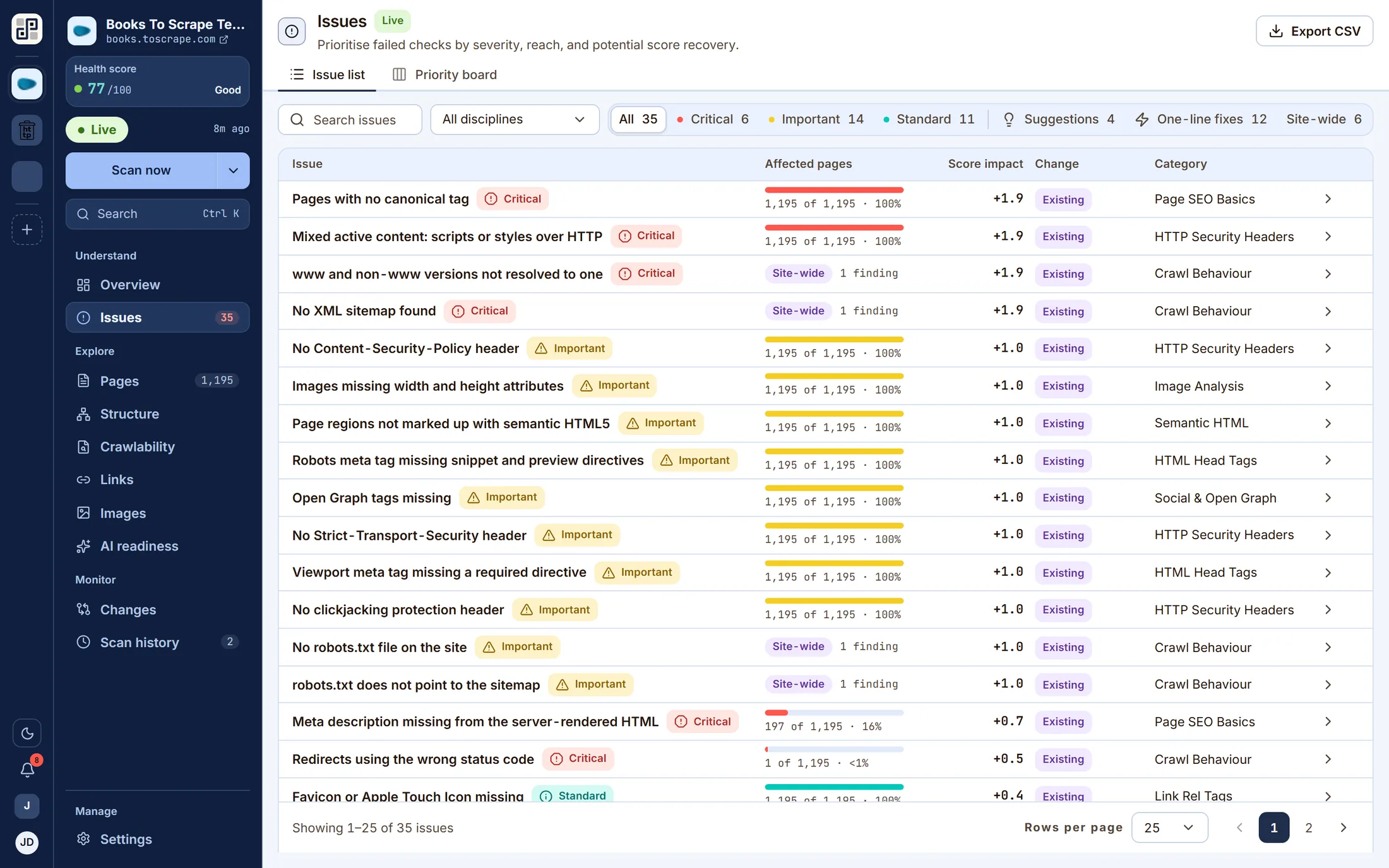
A full technical audit
100+ checks across every discipline run on every crawled page, producing a health score out of 100 weighted by severity — critical, important and standard defects, plus suggestions that are advice rather than faults.
- Every finding names the exact URLs it was found on
- Ranked by severity, reach and points recovered
- Switch a discipline off per site when it does not apply
- Site-level and page-level checks scored separately
Inventory you can interrogate
One crawl, read eleven ways. Pages, structure, crawlability, links, images and AI readiness are lenses on the same dataset, and every one of them drills down to a single URL's complete report.
- Treemap, hierarchy diagram, tree and link map of the structure
- robots.txt read against sitemap coverage
- External links grouped by destination, with status codes
- Images audited for alt text, dimensions, format and weight
A gate in your pipeline
Issue a per-site client secret, run one CLI command from CI, and read an exit code. The branch decides which URL is scanned, through an environment map you keep in settings rather than a config file in the repo.
- npx pixyscan-sdk run — no config file, no login step
- Exit 1 when the score falls below your threshold
- Preview hosts supported via a per-environment URL override
- Also usable programmatically, with a typed error for the below-threshold case
Reports and exports
Any completed scan renders on the server as a PDF, in three cuts: the problems, the strengths, or both. The issue list, the pages failing one check and a page's full report all export to CSV.
- Issues, strengths or full — one run, three audiences
- Rendered server-side, so it is the whole run rather than the page you were on
- CSV wherever there is a list
- The filename is decided by the API, so every export is named consistently
Workspaces, sites and roles
A workspace holds sites, members and the subscription. Roles are set per workspace and per site, so a contractor can be given one site without being given the portfolio.
- Invitations by email, with pending invites counted against seats
- Per-site membership on top of workspace roles
- SSO on Pro and Enterprise
- A user can belong to several workspaces and switch between them
Scoring
A number you can take apart
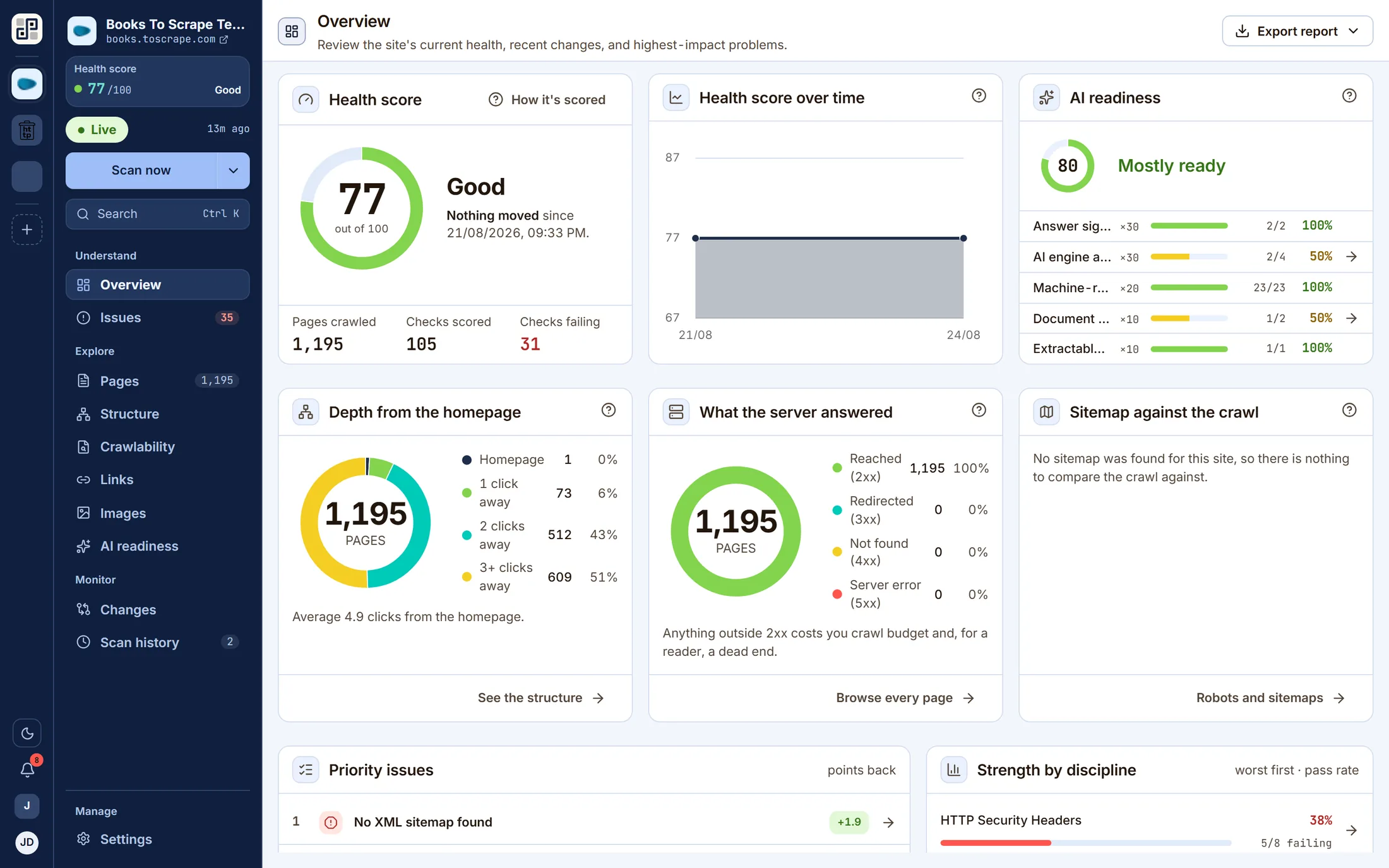
The health score is weighted by severity, and the product shows the weighting. Open the scan report and every discipline has a pass rate, every unfixed check has a points value, and the two reconcile.
- Suggestions carry no severity and never cost you points — a 47-character title is not a fault.
- Site-level findings are deduplicated so one missing sitemap is one deduction, not one per page.
- Retired checks stay readable in old scans but are excluded from pass-rate denominators.
- The Issues screen sorts by points recovered, so “biggest win first” is a real ordering.
AI readiness
Answer engines read your site too
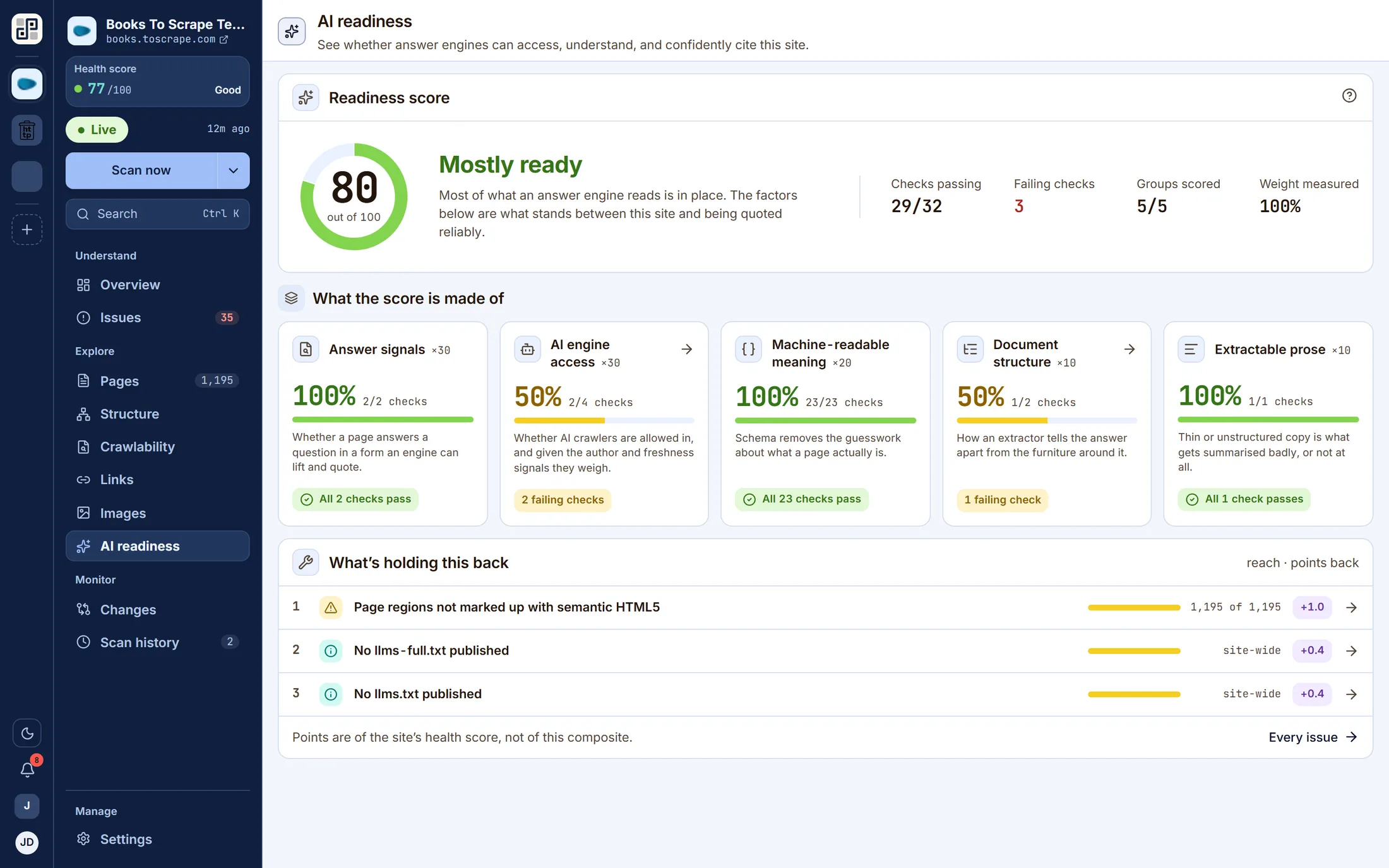
Search is no longer the only thing crawling you. PixyScan scores three things it can actually observe — whether AI crawlers are allowed in, whether your content is shaped to be quoted, and whether meaning is machine-readable.
Answer signals
A reading level measured against the audience the page is written for, and a comparison table on the pages that promise a comparison. An engine lifts a passage or it does not.
AEO Content Signals · 2 checks
AI engine access
Whether llms.txt and llms-full.txt are published, whether they follow the format, and whether they point at pages that still resolve. A file that lists dead URLs is worse than no file.
GEO & AI Engine Signals · 5 checks
Machine-readable meaning
JSON-LD parsed and validated per type — Organization, Product, FAQPage, Article, Breadcrumb and more — so a model reading the page finds structure rather than inferring it.
Structured Data & Rich Results · 23 checks
What it does not do: predict whether a model will cite you. It reports the signals under your control, and leaves the ranking to the engines.
Details
The parts that make it usable day to day
None of these sells the product on its own. Together they are the difference between a tool you open twice and one your team leaves running.
A health score with the arithmetic shown
One number out of 100, weighted by severity, with a per-discipline pass rate behind it and the exact points each unfixed check is costing you.
Every finding tied to exact URLs
Open any failed check to see every page that fails it and what was found on each one — never a percentage with nothing behind it.
A full report for any single page
One URL, everything recorded about it: title and meta with lengths, the heading outline, readability grade, internal and external links with anchor text and status codes, images, JSON-LD, security headers, hreflang and HTML head.
The fix, next to the problem
Each of the 100+ checks carries a written guide — what it is, why it matters, how to fix it, with examples — rendered inside the product beside the finding.
Branch-aware scans
Every scan records the branch it ran against and is only ever compared with the previous scan on the same branch, so a staging crawl never pollutes production's trend.
Fail the build on a bad release
A per-site secret, one CLI command, and an exit code. The scan runs against the branch's environment URL and returns pass or fail against the score threshold you set.
Export what you can see
The issue list, the pages failing one check, and a page's full report export to CSV. Any completed scan renders as a PDF — the problems, the strengths, or both.
Workspaces, sites and roles
Group sites into a workspace, invite the team, and give each person a role per workspace and per site. Invitations arrive by email.
In-app alerts
Scan started, finished or failed; score dropped; score below your threshold. They land on the bell and on the Alerts screen — in the product, not in your inbox.
Connect one site. Leave it two weeks.
The first crawl runs all 100+ checks and gives you a baseline. The second one is where this earns its place — it tells you what changed. If nothing worth knowing turns up, you have lost an afternoon.
Free plan · 1 site · 500 URLs a month · all 100+ checks · no card