
Product · Understand
Is this site healthy, and what moved?
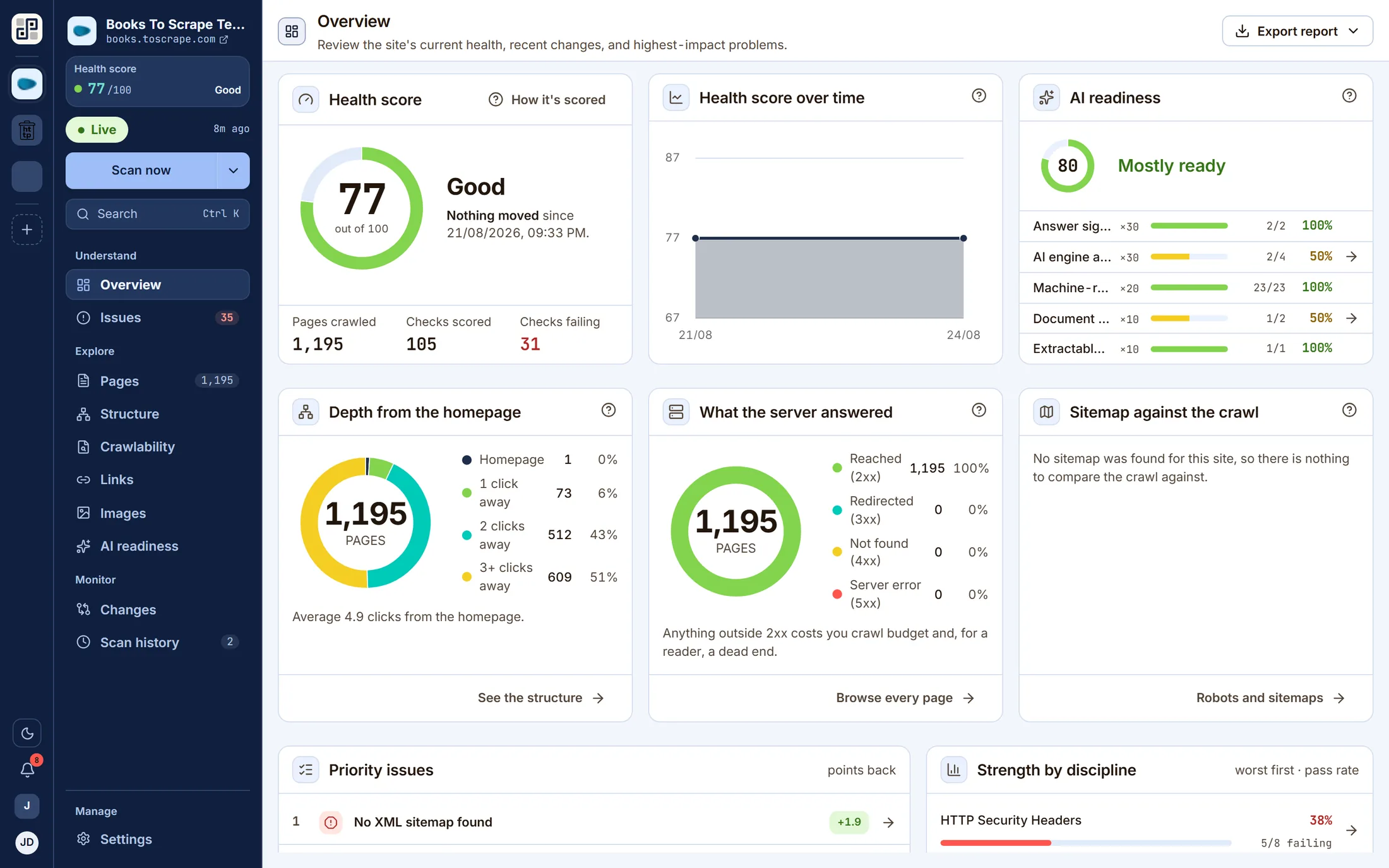
The whole answer on one screen: the score out of 100 with its delta and what caused it, the trend across runs, AI readiness, how deep the crawl went, what the server answered, and how the sitemap compares with what was actually reached.
What it answers
The questions this screen exists for
If none of these is a question you have, this is not the lens you want — one of the other ten probably is.
- 01Is this site in better or worse shape than last week?
- 02What broke, and what cleared, since the last run?
- 03How much of the site did the crawler actually reach?
- 04Is the sitemap telling the truth about what exists?
On the screen
What you actually get
Four things, each of which is visible in the capture above.
The delta names the change rather than just the number — “Nothing moved since 22/08”.
Crawl depth and response mix as distributions, because “120 of 120 reached 2xx” is a shape, not a figure.
Sitemap against crawl: listed-not-crawled and crawled-not-listed, side by side.
The highest-impact problems are surfaced here, so the next click is the work.
Behind it
The checks that feed this screen
Every finding on this lens comes from a check in the catalogue — and every one of those carries a written guide to putting it right, rendered beside the finding in the product.
The other lenses
One crawl, eleven readings of it
They are not separate scans. Each of these is the same dataset asked a different question.
See Site overview against your own site
Connect one site free and run a crawl. Every lens on this page fills with your own pages within a few minutes.
Free plan · 1 site · 500 URLs a month · all 100+ checks · no card