
Product · Monitor
What is different since the last scan
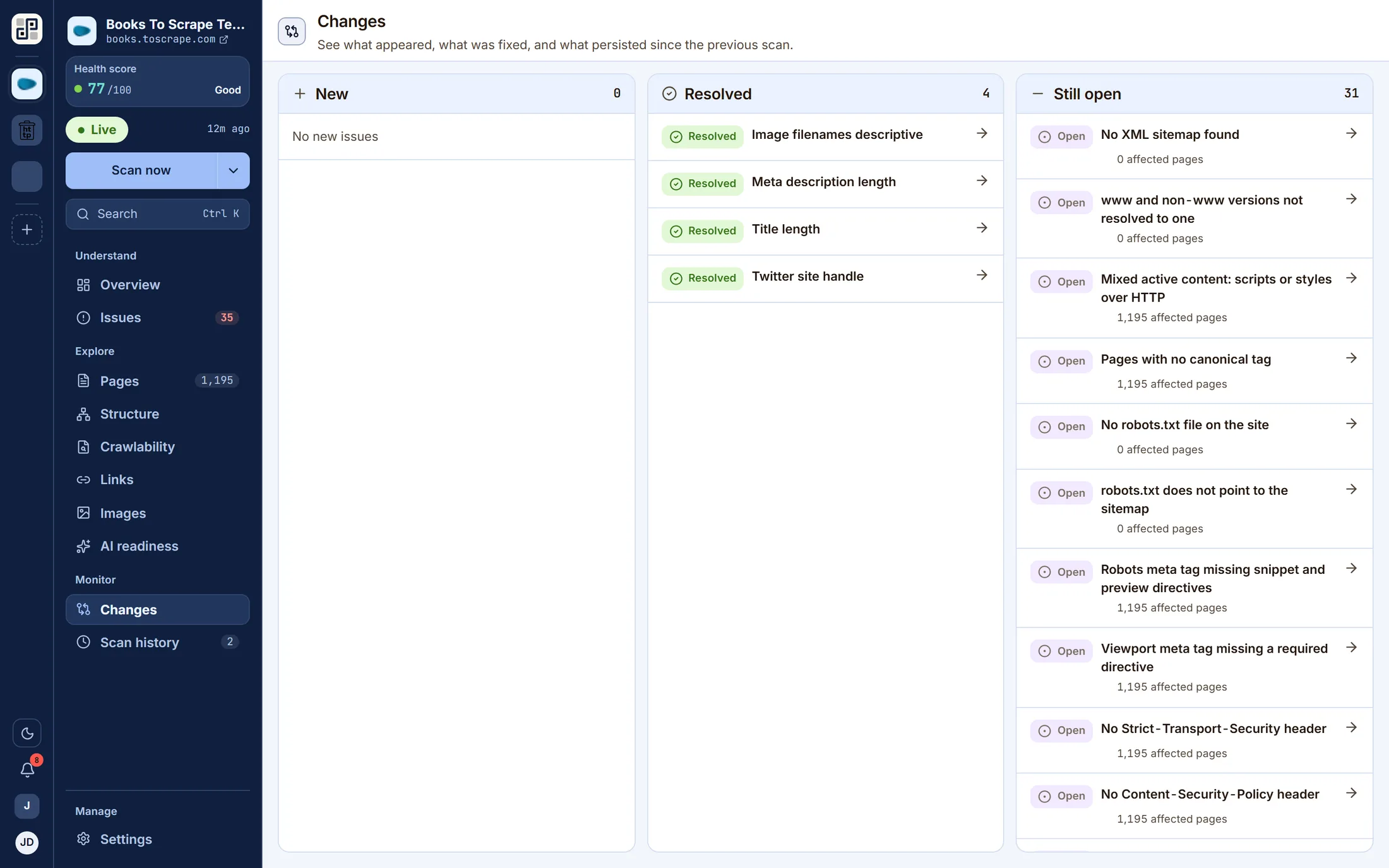
Three columns — new, resolved, still open — comparing this run with the previous one on the same branch. This is the screen the product exists for. Everything else describes a site; this one describes a change.
What it answers
The questions this screen exists for
If none of these is a question you have, this is not the lens you want — one of the other ten probably is.
- 01Did last night's deploy break anything?
- 02Did the fix we shipped actually take?
- 03What has been open long enough that we have stopped seeing it?
- 04Is this a regression, or has it always been like that?
On the screen
What you actually get
Four things, each of which is visible in the capture above.
Comparison is per branch, so a preview crawl never becomes production's baseline.
Resolved findings stay listed, so a fix is visible rather than silently absent.
Every entry opens the finding it came from.
Two hundred findings you already knew about is noise; the four that appeared this week are the work.
Behind it
The checks that feed this screen
Every finding on this lens comes from a check in the catalogue — and every one of those carries a written guide to putting it right, rendered beside the finding in the product.
The other lenses
One crawl, eleven readings of it
They are not separate scans. Each of these is the same dataset asked a different question.
See Changes against your own site
Connect one site free and run a crawl. Every lens on this page fills with your own pages within a few minutes.
Free plan · 1 site · 500 URLs a month · all 100+ checks · no card